Cybersecurity Tips Every Online User Should Know
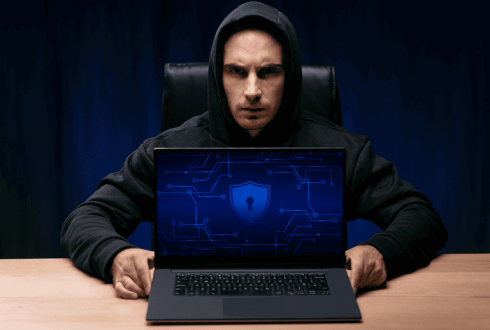
Consider how you spend your nighttime. You could lock your front door, pull down your garage, and possibly look at a rearview camera before backing out. Risks are real for us, and we are taught to use physical safety practices without giving them a second thought. But when we’re at our desks or on our smartphones, many of us have our digital front doors open.
A basic notion of digital safety is no longer a luxury that is provided to tech professionals in an era where our banking, healthcare, social lives, and career portfolios are 100% online. It’s a very important life skill. Cybercriminals no longer target only large companies; everyday internet users are also at risk. They are in the business of seeking quick, automatic payouts from anyone surfing online.
Luckily, it isn’t essential to have a computer science degree to defend oneself. With a few simple cybersecurity habits, you can develop a cybersecurity fortress that will help to safeguard your personal information from 90% of the prevalent online risks.
Stop Reusing Passwords across Websites
If you put your pet’s name (except for 123!) on five separate websites, you’re inviting identity theft. Once one of your websites has been hacked, even if it was not very secure, the hackers will use that compromised username and password to log into your bank accounts, email, and social media. This is known as credential stuffing, and it remains one of the most common hacking techniques.
-
The Rewrite: The idea of remembering passwords is over. Rather, you should hand this over to a distinct and trustworthy Password Manager instead.
-
The Blueprint: A password manager produces random, complex strings of letters, numbers, and symbols (such as 7x$K#m9P!). A password manager securely stores unique passwords for all your accounts behind one strong master password. All you have to keep in mind is one very good phrase, and the manager will take care of the rest.
Adopt the ‘Second Layer’ Multi-Factor Authentication (MFA)
If someone steals your house key, then when they try to open the door, it will require a biometric thumbprint or one-time authentication code that is sent to your mobile phone. A Multi-Factor Authentication (MFA) system is just that. By using this, you make sure that if someone guesses your password, he or she still won’t be able to log in to your account.
If you can, go to the account settings of your main email, financial, and main social media accounts and set MFA to On.
The following warnings apply to SMS (text-message) codes - SMS codes are not as secure as their name implies, and they can be spoofed via SIM-swapping attacks. An authenticator app (Google Authenticator, Microsoft Authenticator, or Bitwarden) that creates codes that change every few minutes on the actual device is the best way to protect against this.
How to Spot Phishing Attempts
Phishing remains one of the most common ways to get in on phishing attacks. The e-mails, text (smishing) messages, or direct messages purport to come from a familiar institution that you trust, like your bank, your streaming service, delivery company, or even your employer. They take advantage of someone’s need for or fear of clicking on a link or opening an attachment.
To construct a world-class defense, stop and critically consider the unexpected communications:
-
A valid email from Netflix will not be sent from support@netflix-security-updates32.com. Don’t look at the ‘display’ name, but at the actual email address.
-
If you get an alert that your banking account has been locked, then do not click on the link sent in the alert. Instead, go to a new browser window and type in your bank’s official website in the address bar, and then log in securely to verify the notification.
Why Software Updates are Important
I’m sure if I got an OS / App update reminder, I would click Remind Me Tomorrow; it’s really easy to do. But it is easy to see the changes as cosmetic and functionality oriented; that is a bad interpretation.
Typically, software updates are released to address newly discovered critical security holes. These public patch releases are often the target of cybercriminals, who are looking for devices that have not been patched. Cybercriminals are very active in the search for these public patch releases for devices that have not been patched yet, exploiting exactly what the developer fixed.
Make it a habit of letting the updates come to you, so keep your smartphone, computer, Web browsers, and smart home devices all set to Automatic Updates. Allow technology to do its own armor, and you just get to sleep.
Set up Healthy Boundaries on Public Wi-Fi
The days of free WiFi in local coffee shops, airports, and hotels are fantastic, but these networks are very insecure. Due to these networks being unencrypted, advanced users on the network can mount "Man-in-the-Middle" attacks and intercept data as it passes to and from your device, including your login credentials or credit card information.
-
The Fix: For sensitive Internet activity (such as checking your bank account), opt for a good Virtual Private Network (VPN) if you must do so on a public network. A VPN sends your Internet traffic through a secure, encrypted tunnel, so that no one can read it while snooping on the network.
-
The Alternative: If you don’t have a VPN, then just turn off the Wi-Fi and rely on the cellular data hotspot that is structurally much more secure than public wi-fi.
The bottom line
There are no military-grade defensive networks that are required to maintain excellent cybersecurity; it is accomplished by simple and consistent digital hygiene.
If you automatically generate your passwords, protect your accounts with MFA, take some time to think about what you’re clicking, and keep your devices patched, you become a very secure online user. There are awesome opportunities out there in the digital world. Be sure to find them with your digital front door shut tight and locked.
Recent Blogs

Energy Efficient Home Improvement Credit: What Homeowners Should Know
Discover practical kitchen improvements that make your space look modern and functional without overspending on a complete remodel.

Energy Efficient Home Improvement Credit: What Homeowners Should Know
A modern kitchen does not always require a full renovation. These strategic kitchen upgrades can improve style, function, and value without overspending.
AI Branding Strategies for Modern Businesses
AI branding strategies help businesses move faster, personalize better, understand markets earlier, and keep human creativity in control.

What Is Real Estate and How the Property Market Works
A beginner-friendly explanation of real estate, including property types, market demand, pricing, agents, buyers, sellers, and basic investment ideas.

DIY Home Improvement Projects for Beginners
This article shares practical home improvement ideas that can make a house more comfortable while supporting better usability and potential resale value.

Home Improvement Ideas That Add Comfort and Value
A simple guide to easy DIY home improvement projects for beginners, including small upgrades that can improve comfort, function, and home appearance.
